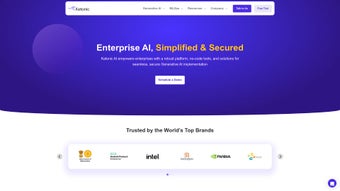

Download Katonic – Secure No‑Code Generative AI Platform for Windows, macOS & Linux
Overview – Why Katonic Is the Fastest Path to Enterprise‑Grade AI
Katonic arrives at a moment when every organization wants to embed generative AI but lacks the deep‑learning expertise to build models from scratch. The platform positions itself as a true no‑code environment, allowing product managers, marketers, and support leads to create sophisticated AI applications without writing a single line of code. By offering a curated library of 75+ large language models (LLMs), ranging from open‑source alternatives to premium offerings such as GPT‑4 and Claude, Katonic removes the licensing bottleneck that traditionally slows AI adoption.
The core value proposition is speed. Users can design, train, and deploy a custom chatbot, content generator, or summarization engine in minutes rather than weeks. This rapid‑development cycle translates directly into higher employee productivity, quicker decision‑making, and a more personalized customer experience. For instance, a sales team can instantly generate hyper‑targeted outreach emails, while a support desk can launch a context‑aware virtual assistant that understands ticket histories.
Security is baked into the architecture. Katonic supports on‑premises deployment via a Docker image, guaranteeing that sensitive data never leaves the corporate firewall. All traffic is encrypted with TLS 1.3, data at rest uses AES‑256, and role‑based access control (RBAC) restricts who can view or modify projects. The platform complies with GDPR, CCPA, and other major data‑privacy regulations, making it suitable for regulated industries such as finance and healthcare.
Beyond the core workflow, Katonic includes built‑in tools for extracting entities from unstructured text, generating expert‑level summaries, and producing high‑quality marketing copy on demand. A forward‑looking roadmap promises AI‑assisted code generation, semantic search, and deeper CI/CD integrations, positioning Katonic as a long‑term partner in the AI journey rather than a one‑off experiment.
Key Features, Pros & Cons – What Sets Katonic Apart
- 75+ Pre‑Integrated LLMs: From open‑source LLaMA to commercial GPT‑4, all ready to use.
- No‑Code Workflow Builder: Drag‑and‑drop interface for data pipelines, model selection, and deployment.
- Instant Fine‑Tuning: Upload your dataset and let Katonic automatically adapt the chosen model.
- One‑Click Deployment: Cloud, on‑premise, or hybrid with auto‑scaling and load balancing.
- Enterprise‑Grade Security: End‑to‑end encryption, RBAC, and on‑premises option.
- Text Extraction & Summarization: Turn raw documents into structured data and concise briefs.
- Content Generation Suite: Produce marketing copy, technical docs, or personalized emails.
- Collaborative Workspace: Multi‑user projects with version history and comments.
- Analytics Dashboard: Real‑time metrics on latency, usage, and cost.
- Future‑Ready Roadmap: AI‑assisted coding, semantic search, CI/CD plug‑ins.
The breadth of these capabilities means that teams can start with a simple FAQ bot and evolve to complex predictive analytics without leaving the platform. Katonic’s modular design also mitigates vendor lock‑in; you can swap models or change deployment targets without rebuilding the entire workflow.
Pros
- Massive model library eliminates separate licensing negotiations.
- Pure no‑code experience accelerates time‑to‑value for non‑technical users.
- On‑premises deployment guarantees data residency and compliance.
- One‑click scaling handles traffic spikes without manual intervention.
- Built‑in analytics and version control streamline continuous improvement.
- Cross‑platform Docker architecture simplifies IT operations.
Cons
- Advanced fine‑tuning options may be steep for absolute beginners.
- On‑premises setup requires Docker expertise and adequate hardware.
- Premium LLMs (e.g., GPT‑4) incur usage fees beyond the platform price.
- Documentation is primarily web‑based; offline resources are limited.
- Deep custom integrations often need developer assistance.
Installation, Usage & Compatibility – Get Started in Minutes
Step 1 – Sign Up and Access the Dashboard
Visit the official Katonic site, click “Get Started Free,” and confirm your email. The onboarding wizard asks a few questions to recommend the most suitable LLMs based on industry and data sensitivity.
Step 2 – Choose a Deployment Mode
Katonic supports three deployment models: Cloud SaaS for rapid start‑up, Hybrid for mixed environments, and On‑Premises for strict compliance. The on‑premises option is delivered as a Docker image that runs on any OS supporting Docker.
Step 3 – Build Your First Project
In the dashboard, select “Create New Project.” The visual editor presents three default blocks – Data Ingestion, Model Selection, and Output. Drag a “CSV Upload” block, pick a model from the dropdown, and let Katonic suggest fine‑tuning parameters. Training typically completes within 5‑15 minutes for modest datasets.
Step 4 – Deploy and Monitor
Click “Deploy.” Cloud users receive a secure API endpoint; on‑premises users run a single Docker command to launch the service. The integrated analytics panel displays latency, request volume, and error rates, enabling you to add nodes or adjust resources instantly.
Supported operating systems include Windows 10/11 (64‑bit) with Docker Desktop, macOS Catalina or later, and major Linux distributions such as Ubuntu 20.04 LTS, Debian 11, and CentOS 8. Minimum hardware for on‑premises installations is an 8‑core CPU, 32 GB RAM, 200 GB SSD, and an optional NVIDIA RTX 3080 GPU for accelerated training.
FAQ & Conclusion – Your Next Steps with Katonic
Is Katonic truly a no‑code platform?
Yes. The drag‑and‑drop workflow editor lets you design data pipelines, select models, fine‑tune, and deploy without writing code. Advanced users can add custom scripts if needed.
Can I run Katonic on my own servers?
Absolutely. Katonic provides a Docker image that runs on any Windows, macOS, or Linux host with Docker installed, ensuring data never leaves your network.
Do I have to pay for the 75+ LLMs?
Open‑source models are free. Premium models such as GPT‑4 or Claude are available through Katonic, but usage fees are billed directly by the model provider.
How does Katonic protect my data?
All communications use TLS 1.3, data at rest is encrypted with AES‑256, and RBAC limits access. On‑premises deployments keep data inside your firewall, meeting GDPR, CCPA, and industry‑specific regulations.
What support options are available?
Katonic offers 24/7 email support for all users, a community forum, live chat for premium plans, plus comprehensive documentation, video tutorials, and regular webinars.
Katonic delivers a complete, secure, and truly no‑code environment for building generative AI solutions. Its extensive model catalog, rapid prototyping, and flexible deployment make it a compelling choice for businesses of any size. The free tier lets you experiment without risk, and the straightforward upgrade path ensures you can scale as your AI needs grow.
Ready to create AI applications without writing code? Click the button below to download Katonic, launch your first project, and experience enterprise‑grade AI in minutes.



.png)



